> ## Documentation Index
> Fetch the complete documentation index at: https://base-a060aa97-eb-mini-app-ia-overhaul.mintlify.site/llms.txt
> Use this file to discover all available pages before exploring further.
# Wallet Modal · OnchainKit
> The Wallet Modal provides users with multiple wallet connection options in a polished interface.
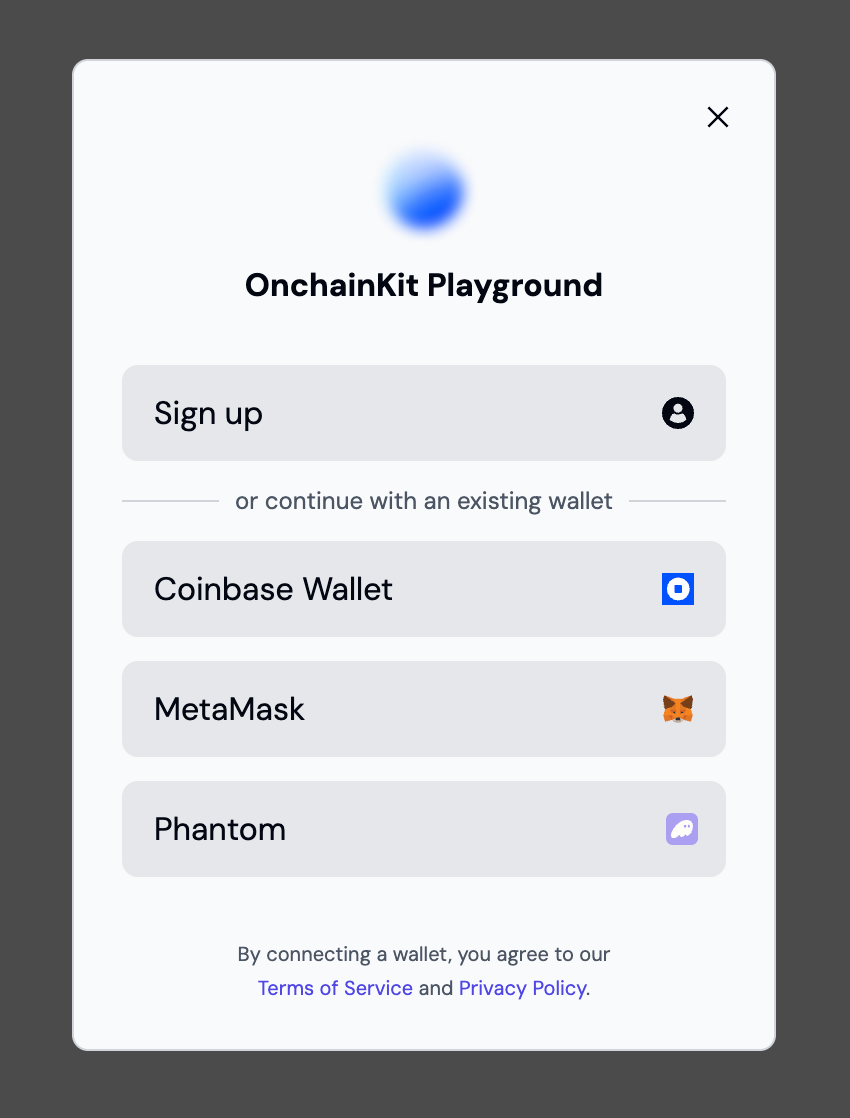 `WalletModal` offers users multiple wallet connection options. The modal automatically appears when users click the `ConnectWallet` component and provides several connection paths:
1. Quickly create a new smart wallet for new users
2. Coinbase Wallet connection (supporting both smart wallets and EOA)
3. MetaMask connection
4. Phantom connection
5. Rabby, Frame, and Trust Wallet connections (optional)
## Walkthrough
```tsx providers.tsx
{children}
```
```tsx App.tsx
```
{/*
*/}
## Components
The Wallet Modal components are designed to work together hierarchically:
* `` - Configures the modal settings and appearance
* `` - Triggers the modal to open when clicked
* `` - The modal interface itself, containing:
* Smart wallet creation flow
* Coinbase Wallet connection
* MetaMask connection
* Phantom connection
* Rabby, Trust, and Frame Wallet connections (if enabled)
* Terms and privacy policy links
The modal automatically handles:
* Wallet connection states
* Error handling
* Mobile/desktop responsive behavior
* Theme customization
* Terms/privacy policy display
## Additional Wallet Support
By default, the wallet modal includes Coinbase Wallet, MetaMask, and Phantom as connection options. You can enable additional wallet support by configuring the `supportedWallets` object in the `OnchainKitProvider`:
```tsx
{children}
```
Each wallet can be individually enabled or disabled as needed. If no `supportedWallets` configuration is provided, the additional wallets will be disabled by default.
`WalletModal` offers users multiple wallet connection options. The modal automatically appears when users click the `ConnectWallet` component and provides several connection paths:
1. Quickly create a new smart wallet for new users
2. Coinbase Wallet connection (supporting both smart wallets and EOA)
3. MetaMask connection
4. Phantom connection
5. Rabby, Frame, and Trust Wallet connections (optional)
## Walkthrough
```tsx providers.tsx
{children}
```
```tsx App.tsx
```
{/*
*/}
## Components
The Wallet Modal components are designed to work together hierarchically:
* `` - Configures the modal settings and appearance
* `` - Triggers the modal to open when clicked
* `` - The modal interface itself, containing:
* Smart wallet creation flow
* Coinbase Wallet connection
* MetaMask connection
* Phantom connection
* Rabby, Trust, and Frame Wallet connections (if enabled)
* Terms and privacy policy links
The modal automatically handles:
* Wallet connection states
* Error handling
* Mobile/desktop responsive behavior
* Theme customization
* Terms/privacy policy display
## Additional Wallet Support
By default, the wallet modal includes Coinbase Wallet, MetaMask, and Phantom as connection options. You can enable additional wallet support by configuring the `supportedWallets` object in the `OnchainKitProvider`:
```tsx
{children}
```
Each wallet can be individually enabled or disabled as needed. If no `supportedWallets` configuration is provided, the additional wallets will be disabled by default.