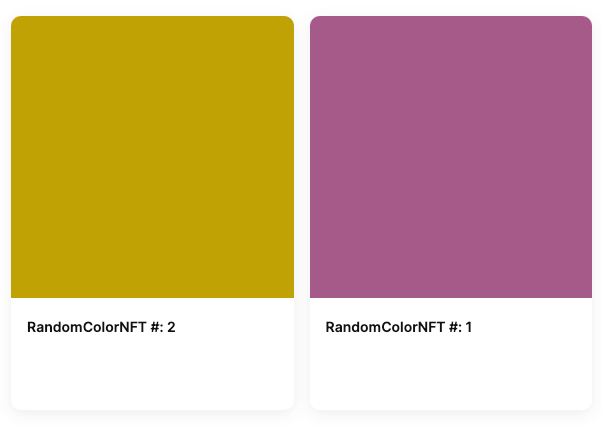
Simple Onchain NFTs
Many NFTs are dependent on offchain metadata and images. Some use immutable storage locations, such as IPFS. Others use traditional web locations, and many of these allow the owner of the contract to modify the URL returned by a contract when a site or user attempts to retrieve the location of the token art and metadata. This power isn’t inherently bad, because we probably want someone to be able to fix the contract if the storage location goes down. However, it does introduce a requirement to trust the contract owner. In this tutorial, we’ll show you how to do this to create a simple NFT that is fully onchain. This contract is used in our tutorials for Thirdweb and Unreal - NFT Items and the Coinbase Smart Wallet. The result of this tutorial is used in other tutorials. Below, you can find the complete contract and ABI. Feel free to use it if you’re working on one of those and don’t want to get sidetracked.Objectives
By the end of this tutorial you should be able to:- Programmatically generate and return json metadata for ERC-721 tokens
- Deterministically construct unique SVG art in a smart contract
- Generate deterministic, pseudorandom numbers
Prerequisites
ERC-721 Tokens
This tutorial assumes that you are able to write, test, and deploy your own ERC-721 tokens using the Solidity programming language. If you need to learn that first, check out our content in Base Camp or the sections specific to ERC-721 Tokens!Vector Art
You’ll need some familiarity with the SVG art format and a basic level of ability to edit and manipulate vector art. If you don’t have this, find an artist friend and collaborate!Building the Contract
Start by setting up an [OpenZeppelin ERC-721] contract. You’ll need to set up amintTo function that accepts the address that should receive the NFT.
With the Smart Wallet,
msg.sender is the users custodial address - where you want to send the NFT. This is not always the case with account abstraction. In some other implementations, msg.sender is the smart contract address, even if the user signs in with an EOA. Regardless, it’s becoming a common practice to pass the address you want the NFT to go to explicitly.Onchain Metadata
Rather than pointing to ajson file on the traditional internet, you can put your metadata directly in the contract. To do so, first import some helper libraries:
override the functions for _baseURI and tokenURI to return base 64 encoded json metadata with the appropriate information:
Onchain SVG Image
For this NFT, the art will consist of a simple onchain SVG containing a square with a pseudo-randomly chosen color. Check out our tutorial on [Building Onchain NFTs] if you want to try something more complicated. Start by scaffolding out arender function:
viewbox. Although not listed directly in the MDN page for rectangles, you can add a fill property to add a fill color to any SVG element. You can use color names, or hex codes for colors:
Generating a Random Color
Instead of a fixed color, your design calls for a unique color for each NFT. Add a function to generate this:Saving the Color to the NFT
You’ll need to generate this color with the function, then save it in a way that it can be retrieved when thetokenURI function is called. Add a mapping to store this relationship:
Finishing the tokenURI Function
Update your render function to generate the SVG.
tokenURI function to use it, and return the SVG as base64 encoded data:
List of NFTs Owned
Most ERC-721 implementations don’t contain an on-contract method to retrieve a list of all the NFTs owned by a single address. The reason for this is that it costs extra gas go manage this list, and the information can be retrieved by using read-only services that analyze blockchain data. However, gas prices are getting lower, and adding this data to your contract will reduce your dependency on third-party APIs. To track ownership in-contract, first importEnumerableSet from OpenZeppelin:
uint sets and add a mapping to relate addresses to token ids.
_update function to handle changes of ownership, including minting:
Testing
Write some local tests, then [deploy] and test your contract. It can be very tricky to get all the commas, brackets, and single, and double quotes all lined up properly. The surest way to make sure it is working is to check the collection on [Testnet Opensea] or similar. Remember, it can take a few minutes for them to register and add the collection. If the metadata or image don’t show up correctly, use [Sepolia Basescan] to pull thetokenURI and an online or console base64 decoder to decode and check the json metadata and SVG image.