

Why MiniKit?
MiniKit streamlines mini-app development by providing a comprehensive toolkit that makes complex Farcaster SDK interactions intuitive:Simplified Development
Build apps with minimal knowledge of the Farcaster SDK
Coinbase Wallet Integration
Access Coinbase Wallet-specific hooks
Component Compatibility
Use OnchainKit components out of the box with
MiniKit
Automatic Setup
CLI tool for quick project scaffolding with webhooks and notifications
Use Cases
Gaming mini apps
Social mini apps
Payment mini apps
Quick Start
The fastest way to get started with MiniKit is to use the CLI to bootstrap a new project:Quick Start Guide
You can also follow our comprehensive Quick Start guide for detailed setup
instructions
1
Project Setup
Set up a new project with both frontend and backend components
2
Webhook Configuration
Configure webhooks and notifications
3
Account Association
Set up account association generation
4
Demo App Creation
Create a demo app showcasing onchain abilities using OnchainKit
We recommend using Vercel to deploy your MiniKit app, as
it integrates seamlessly with the upstash/redis backend required for webhooks,
and notifications. The CLI will guide you through setting up the necessary
environment variables for your Redis database.
Provider
TheMiniKitProvider wraps your application and provides global access to the SDK’s context. It handles initialization, events, and automatically applies client safeAreaInsets to ensure your app doesn’t overlap parent application elements.
Props
TheMiniKitProvider accepts the following props:
React.ReactNode
required
React components to be wrapped by the provider
string
default:"/api/notification"
Optional URL to override the default
/api/notification proxyobject
All props from
OnchainKitProvider are also supportedsdk.context is set, with a fallback to CoinbaseWallet. This allows the same application to run both as a Mini App and as a standalone application.
Hooks
MiniKit provides several utility hooks that wrap the SDK functionality, making it easy to access different features.useMiniKit
This hook handles initialization of the application and provides access to the SDK context.() => Promise<MiniKitContextType>
Removes splash screen and shows the application
boolean
Whether the app is ready to be shown
FrameContext | null
The current frame context
(params: UpdateClientContextParams) => void
Update client context
string
The notification proxy URL
useAddFrame
This hook adds a Mini App to the user’s list of Mini Apps and returns notification details.() => Promise<{ url: string; token: string; } | null>
Function that adds frame and returns notification details
useNotification
This hook allows sending notifications to users who have added your frame. It requires a token and URL, which are returned when a user adds your frame.Notifications require a backend proxy to avoid CORS restrictions. The CLI
automatically sets up this proxy at
/api/notification, but you can override
this in the MiniKitProvider.useOpenUrl
This hook wrapssdk.actions.openUrl and falls back to window.open when outside a frame context.
useClose
This hook wraps thesdk.actions.close functionality.
useComposeCast
TheuseComposeCast hook provides functionality to open the Farcaster compose interface with pre-filled content.
text: string- The text content for the castembeds?: string[]- Optional array of URLs to embed in the cast
composeCast: (params: ComposeCastParams) => void- Function to open compose interface
useViewCast
TheuseViewCast hook provides functionality to view a specific Farcaster cast by its hash.
hash: string- The hash of the cast to view
viewCast: (params: ViewCastParams) => void- Function to view a specific cast
usePrimaryButton
This hook accepts primary button options and a callback which will be called on click.useViewProfile
This hook wrapssdk.actions.viewProfile, accepting an FID but falling back to the client’s FID.
useAuthenticate
This hook allows users to sign in with Farcaster. It wraps the SDK’s signIn message, adding a default nonce and verification.Authentication requires additional setup utilizing an auth framework like
next/auth or manually integrating session storage and route/component
authentication.
CLI
The MiniKit CLI is the easiest way to get started. It automatically creates a sample application that integrates different parts of the SDK and some OnchainKit components.Features
The CLI creates an application with:Frontend and Backend Integration
Frontend and Backend Integration
Complete setup for adding Mini Apps, webhooks, and notifications using upstash/redis for data storage (compatible with Vercel). Requires users to sign up for an upstash/redis account and add their key and URL to the .env file.
The CLI creates both frontend and backend components to support adding Mini Apps, webhooks, and notifications. While a frontend-only option was considered, the ability to add Mini Apps and handle notifications requires backend support. If you don’t need these features, you can easily remove the database and related routes after project creation.
Account Association Generation
Account Association Generation
Automatically generates valid account associations and configures the
necessary environment variables.
.well-known/farcaster.json Configuration
.well-known/farcaster.json Configuration
Sets up the required configuration file:
Notification Proxy
Notification Proxy
Automatically sets up a proxy route at
/api/notification used by the
useNotification hook when sending notifications.Webhooks
Webhooks
Implements webhooks using the Farcaster key registry contract for verification. Allows applications to respond to events such as
FRAME_ADDED.Demo Application
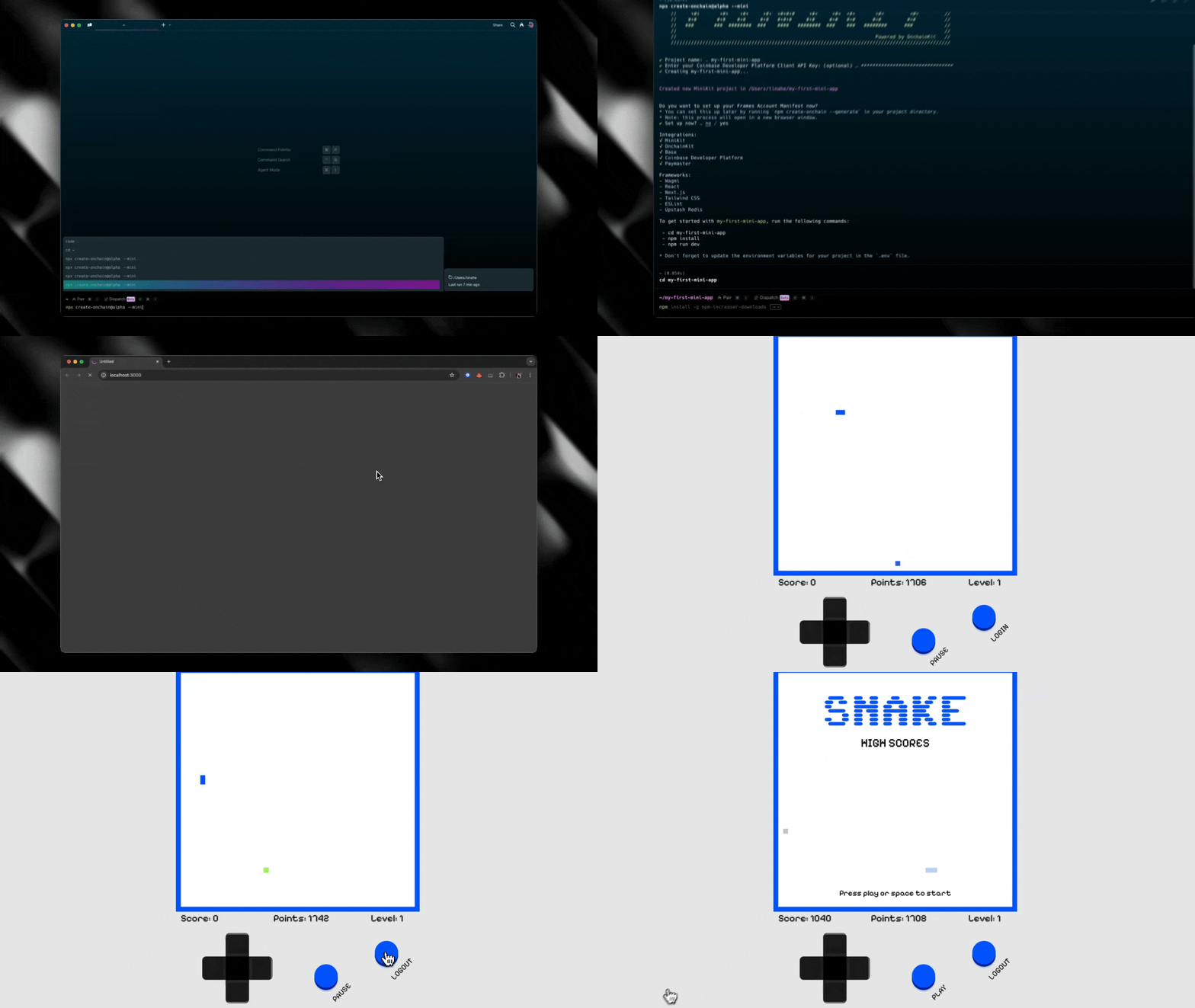
The CLI also creates a demo snake game application that showcases:- Buttons to add the frame and connect your wallet
- High score tracking with attestations using OnchainKit’s
<Transaction/>component - Score display using OnchainKit’s
<Identity/>components to resolve ENS names - Notifications for high scores (rate limited to one every 30 seconds)
Next Steps
Now that you have MiniKit set up, you can:1
Explore the Demo
Explore the demo application to understand how the hooks work
2
Customize Your App
Customize the application to fit your needs
3
Deploy
Deploy your application to a hosting provider like Vercel