

What you’ll learn
By the end of this guide, you’ll be able to:
- Understand how embeds and metadata work together to create rich social previews
- Choose between static and dynamic embeds for different use cases
- Debug and optimize embeds for maximum performance and engagement
Why Sharing Matters
Sharing is one of the fastest and most cost-effective ways to grow your Mini App user base. When a user shares your app into a feed (such as Base App or Farcaster), the platform generates a rich embed — a visual preview complete with your branding, imagery, and call-to-action button that appears directly in social feeds. Every share:- Increases reach — friends and followers see your app instantly
- Drives engagement — visually compelling embeds get more clicks than plain links
- Improves ranking — shared apps are more likely to appear in “Trending” and category leaderboards
- Creates viral loops — great experiences encourage users to share with their networks
Metadata and Embeds
Understanding how metadata creates embeds is fundamental to implementing effective sharing for your Mini App.How Metadata Creates Embeds
When someone shares your Mini App link, platforms like Base App don’t just show a plain URL. Instead, they fetch metadata from your page and use it to generate a rich embed — a visual preview card with your image, title, and call-to-action button. The metadata acts as instructions that tell the platform exactly how to display your Mini App in feeds.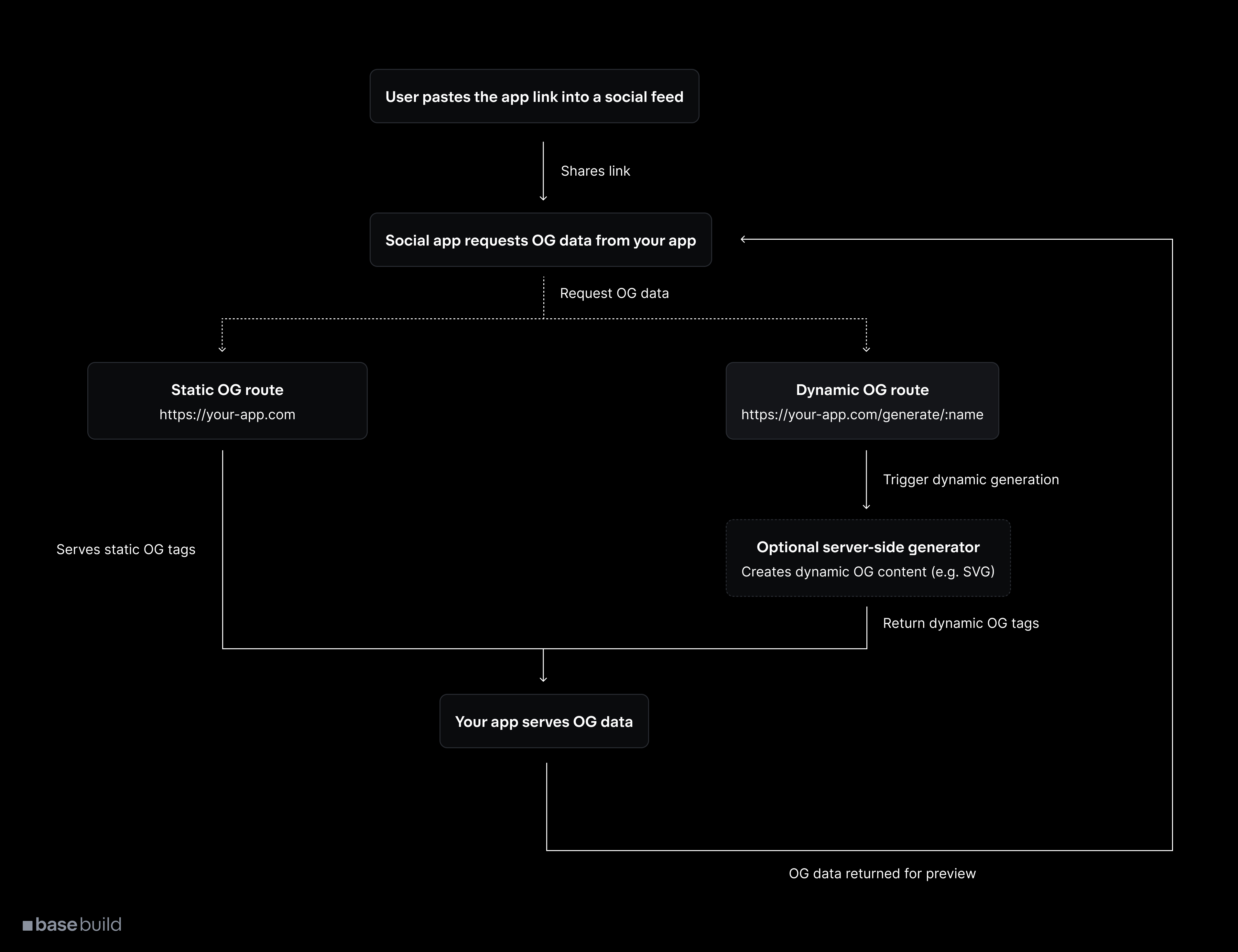
How metadata transforms into embeds
1
User shares your link
User clicks share or pastes your Mini App URL into a social feed (Base App, Farcaster).
2
Platform fetches metadata
The platform makes a request to your URL and reads the
<meta> tags in your HTML to understand how to display your app.3
Metadata becomes embed
Platform transforms your metadata into a rich visual embed with image, title, description, and interactive button.
4
Embed appears in feed
Your Mini App appears as an attractive, clickable card that users can launch directly from their feed.
Metadata Structure
Your metadata consists of specific HTML meta tags that define each part of the embed:imageUrl→ The main visual that appears in the embedbutton.title→ Text on the call-to-action buttonaction.name→ App name displayed in the embedaction.url→ Where users go when they click the embed
Embed Appearance in Feeds
Here’s how your metadata appears as a rich embed in social feeds: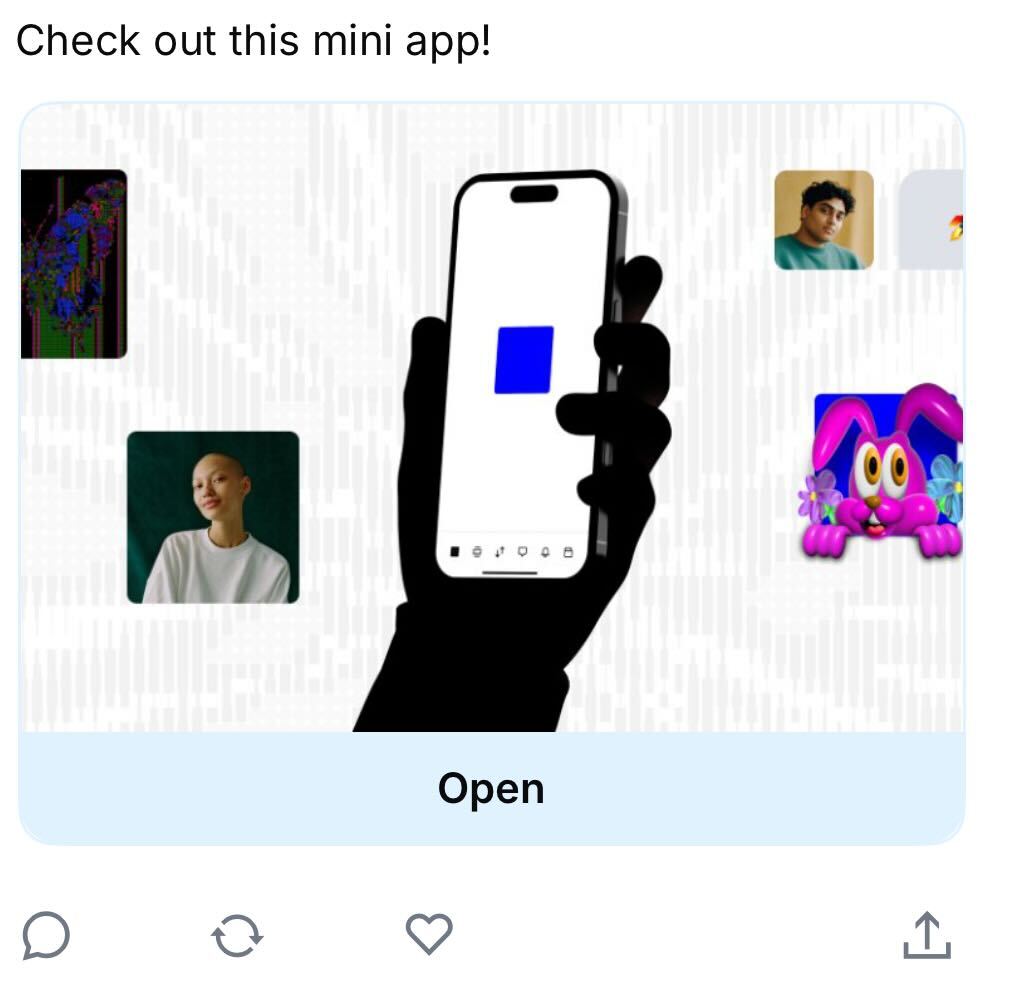
Mini App embed in social feed
Manifest vs Embed Metadata
Your Mini App uses two types of metadata:Manifest file
Purpose: App registration and discovery Located at/.well-known/farcaster.json, this file contains your app’s basic information for Base App’s directory.
Embed metadata
Purpose: Embed generation when shared Located in your HTML<head> tags, this metadata creates the rich embeds when users share your app.
Best Practices for Metadata
- Image optimization: Use 3:2 aspect ratio for optimal display across platforms
- Clear value proposition: Make your button text and description immediately compelling
- Visual consistency: Ensure your embed image reflects your app’s actual interface
- Fast loading: Optimize images and ensure metadata endpoints respond quickly
- Test thoroughly: Validate embeds across different platforms before launch
Sharing
Adding Share Functionality
Prompt users to share during key accomplishment moments in your app using composeCast from the MiniKit SDK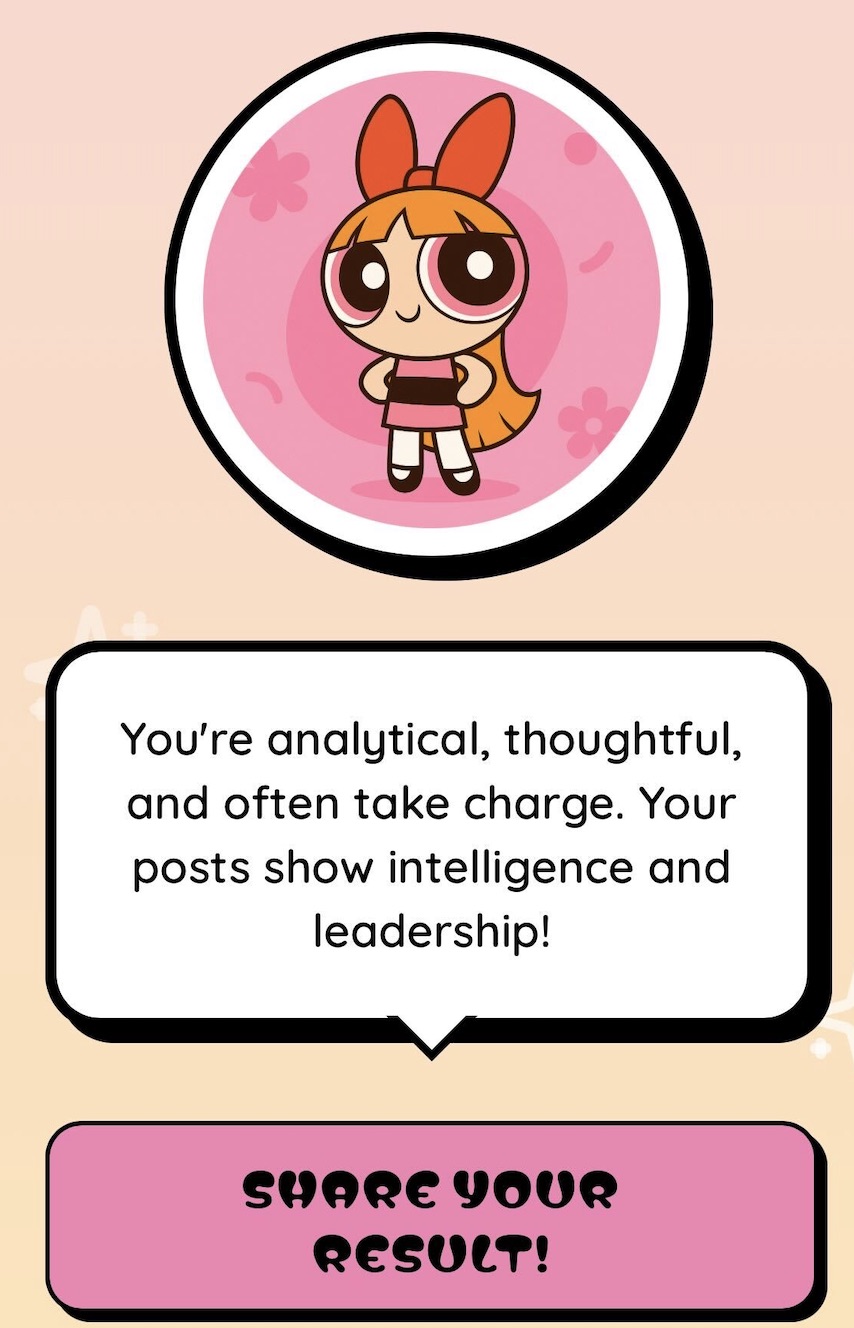
CTA for a user to share the Mini App
From the Base App UI
Users can also share directly from your app’s detail view in the Base app through the built-in share functionality.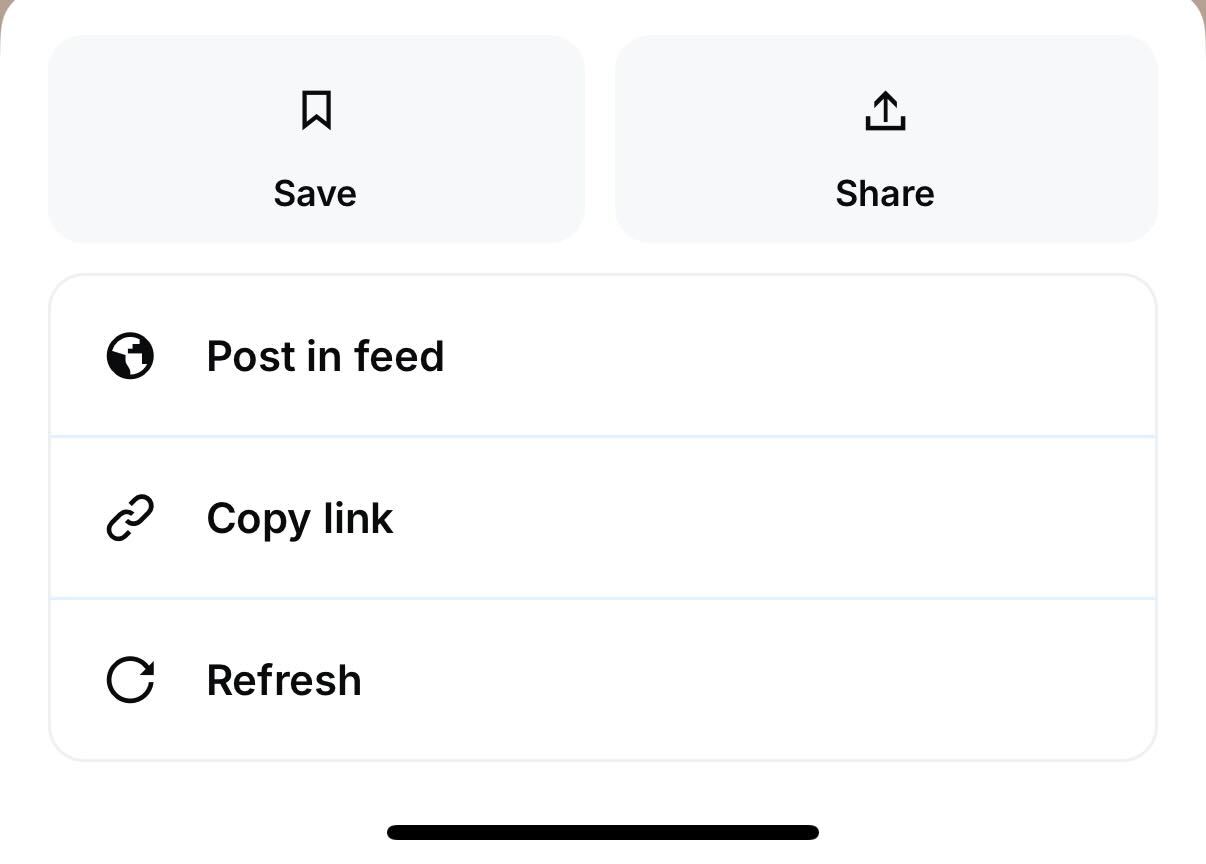
Share button in the Base app UI
Embed Types
Choosing Between Static and Dynamic Embeds
Static embeds

Static embed example - every user shares the same embed
- Easy to set up and maintain
- Consistent branding across all shares
- Fast loading with no server processing
- Less personalized user experience
- No real-time data reflection
Dynamic embeds
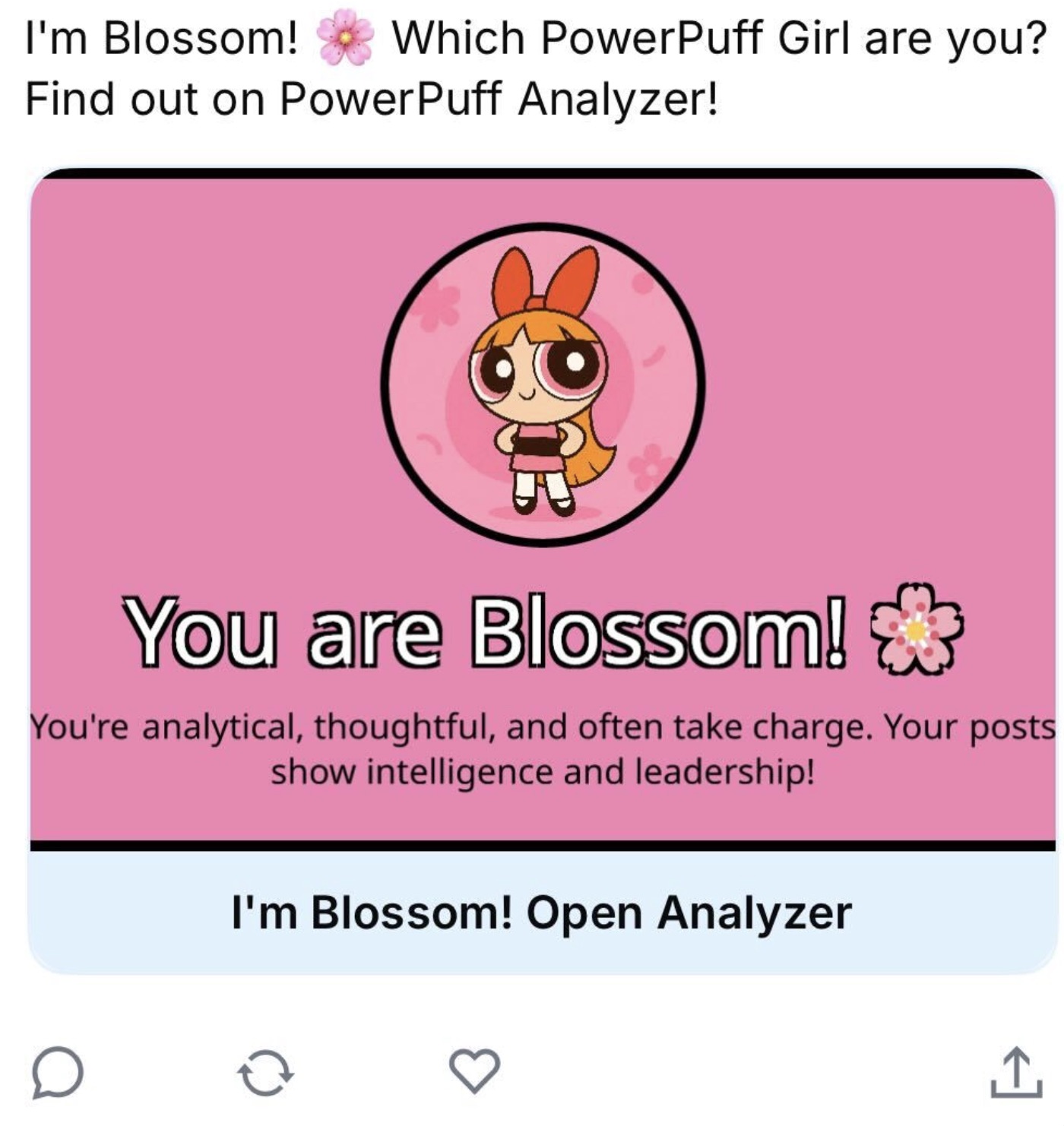
Dynamic embed example based user outcome
- Highly personalized experience
- Reflects real-time data
- Drives re-shares when state changes
- Creates FOMO and urgency
Dynamic Metadata Request Flow
1
User initiates share
User shares your Mini App link containing dynamic parameters (e.g.,
/result/user/123).2
Platform requests metadata
The social platform makes a server request to fetch your page’s metadata.
3
Server processes parameters
Your route handler extracts parameters and fetches relevant data (user stats, quiz results, etc.).
4
Generate metadata
Server generates customized OG metadata including personalized image and text content.
5
Embed renders
Platform receives the metadata and renders the personalized embed in the user’s feed.
Implementation
How MiniKit works with Embeds
If you’re building with MiniKit, metadata setup is handled automatically in yourlayout.tsx or layout.ts file:
layout.tsx
generateMetadata in individual page components:
page.tsx
Debugging
Debugging Tools
Use these tools to test and validate your embeds before going live:Farcaster Embed Debugger
Test your Mini App metadata and preview how embeds will appear in Base App feeds.
Common Issues and Solutions
Embed not showing or displaying incorrectly
Embed not showing or displaying incorrectly
Possible causes:
- Incorrect image dimensions (should be 3:2 aspect ratio)
- Missing required
fc:framemeta tags - Invalid JSON in frame metadata
- Image URL not accessible or returning errors
- Verify image dimensions and accessibility
- Validate JSON structure in metadata
- Test metadata with debugging tools
Embeds not updating after changes
Embeds not updating after changes
Possible causes:
- Aggressive cache headers preventing updates
- Make sure to repost the mini app to update any metadata
- Set appropriate
Cache-Controlheaders (max-age=300 for dynamic content) - Use cache-busting parameters in image URLs
- Wait 10-15 minutes for platform caches to refresh
Slow embed generation affecting user experience
Slow embed generation affecting user experience
Possible causes:
- Heavy server processing for dynamic images
- Database queries blocking metadata generation
- Large image file sizes
- Optimize image generation process
- Pre-generate common embed variations
- Use serverless functions for scaling
- Compress images without quality loss
Check out our debugging section that covers embed issues here
Next Steps
Ready to implement sharing in your Mini App? Follow this implementation checklist:1
Choose your embed strategy
Decide between static, predetermined dynamic, or real-time dynamic embeds based on your app’s functionality and user experience goals.
2
Implement metadata generation
Add
fc:frame metadata to your.3
Add strategic share points
Integrate sharing prompts into key moments: achievements, completions, milestones, and other celebration-worthy events.
4
Test and optimize
Use debugging tools to validate your embeds, test across platforms, and optimize for performance before launching.
- Search and Discovery: Learn how users find your Mini App
- MiniKit Overview: Complete MiniKit integration guide